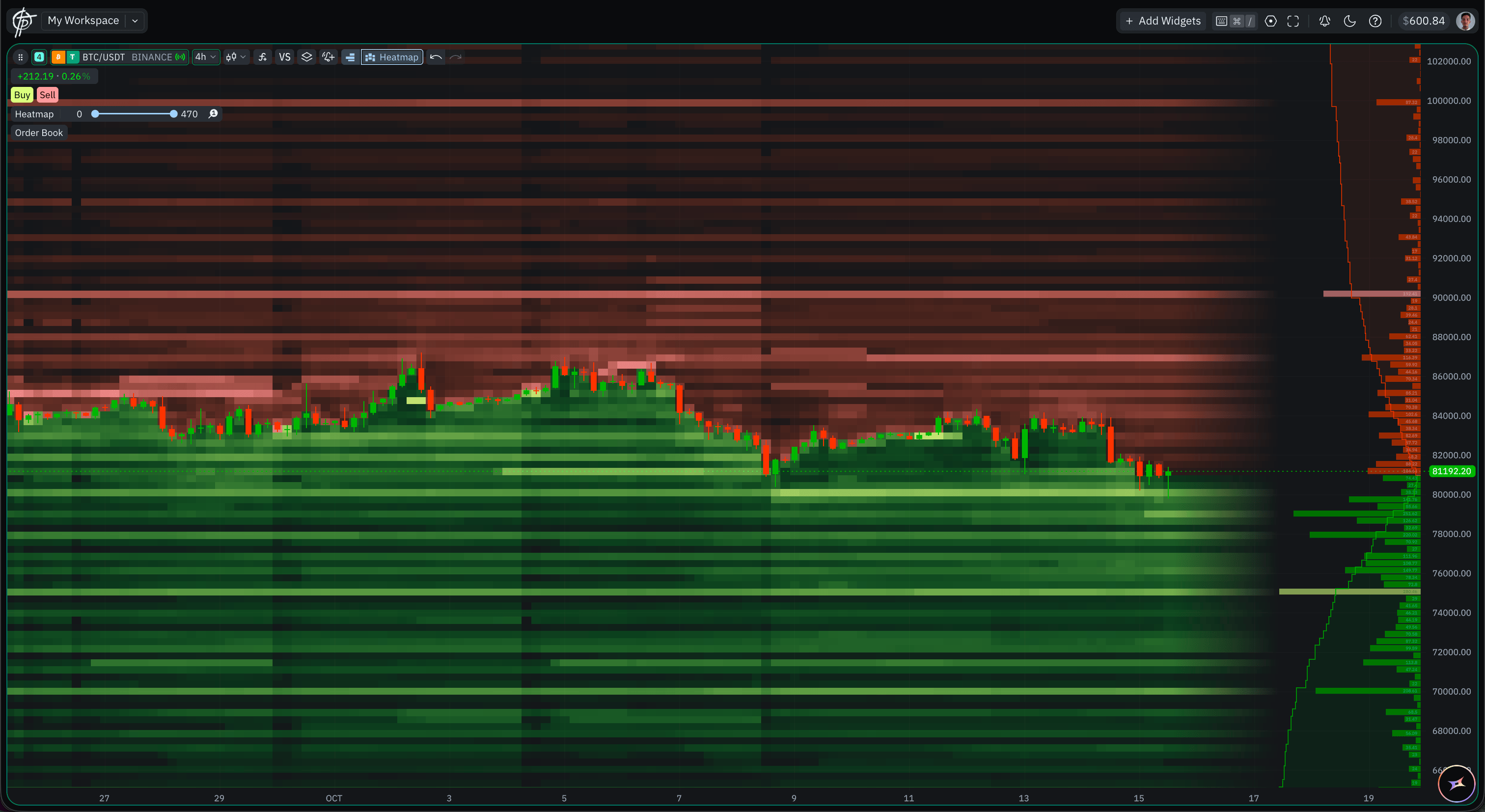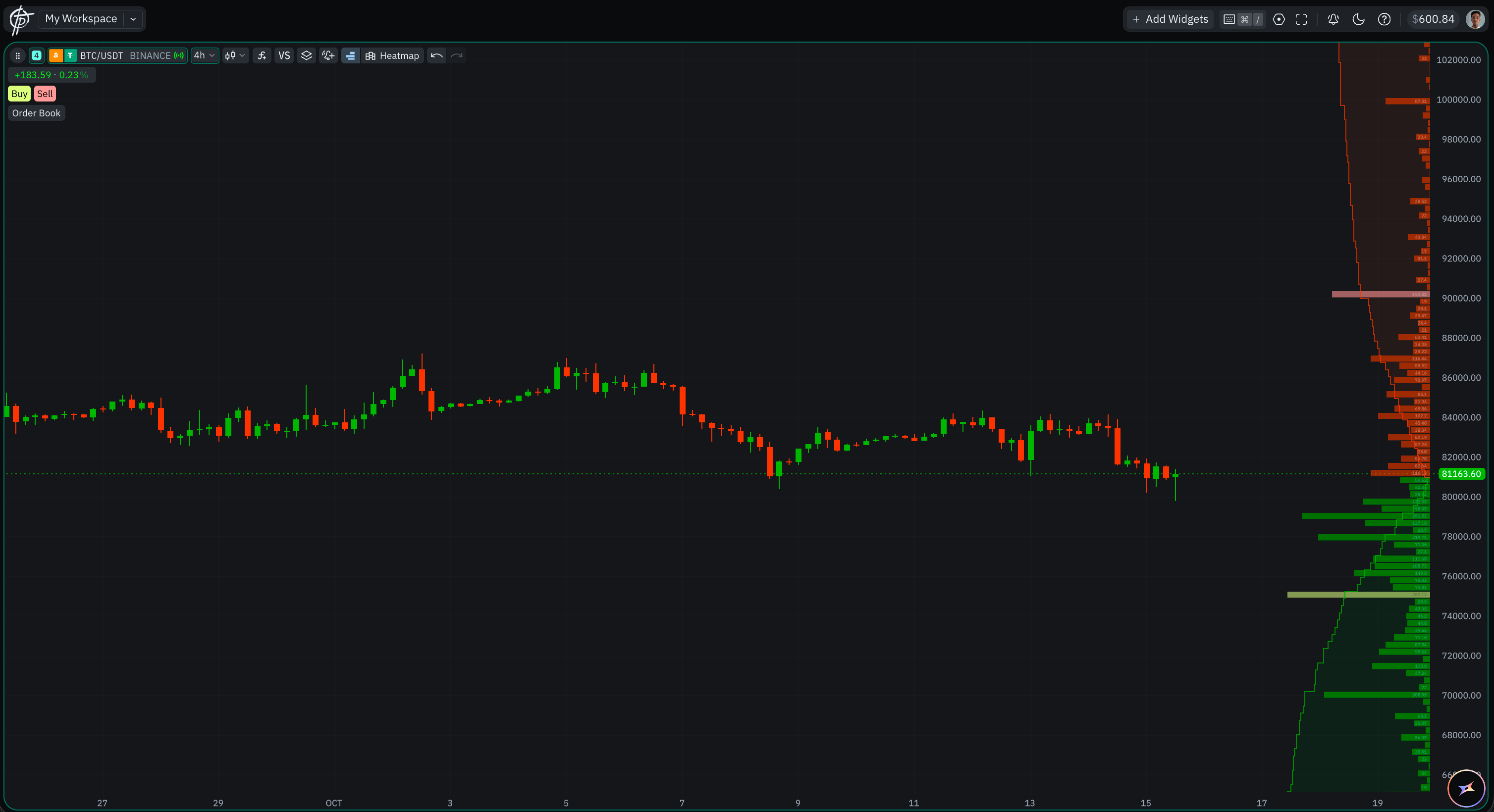
The Order Book Profile drawn beside price on a BTC/USDT chart The Order Book Profile draws the live order book beside the price as a horizontal profile, so you can read the size resting at each level without opening a separate widget. Like the Liquidity Heatmap it is an overlay rather than a chart type, so it sits on top of whatever the chart is already drawing — with the same exception: it is not available on a Renko chart. Use the Order Book Profile to read the book beside price while you watch the chart. Use the Market Depth widget when you want the full price ladder, the Flow view, or to trade straight from the book.

How to read it

Each row of the profile is one price level of the live order book, and the length of its bar is the size resting there right now.
  • Below the current price the rows are bids — limit orders waiting to buy. Above it they are asks, waiting to sell.
  • A long bar is a large resting order: a level the market has to absorb before price moves through it.
  • A gap or a run of short bars is thin book, where price can travel quickly.
  • The profile shows what is resting, not what has traded. For traded volume at each price, use Volume Footprint.
It is available on every Bybit and Binance pair, spot and derivatives alike — a wider set than the heatmap’s supported instruments, because it reads the live book instead of replaying stored history. On venues with no order-book feed, Pepperstone and Exness, the control does not appear at all.

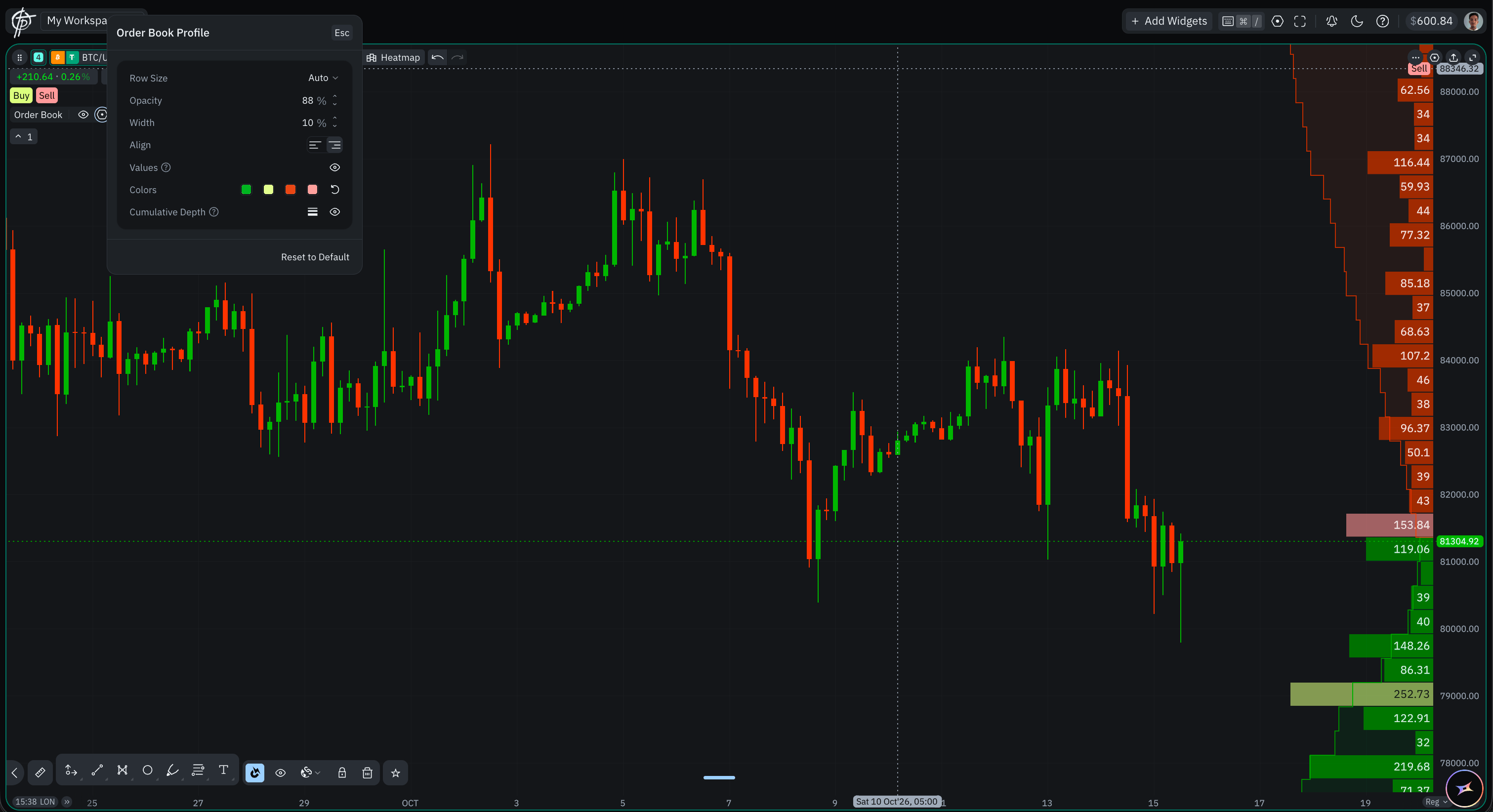
Settings

Click the gear on the on-chart Order Book control and the Order Book Profile panel opens. Esc closes it, and Reset to Default at the bottom returns every row to its default. The Order Book Profile settings panel, on a chart with no heatmap running The Order Book Profile and the Liquidity Heatmap on one chart, sharing the same colours
  • Liquidity Heatmap — the other order-book overlay, drawn behind price as recorded history rather than the live book.
  • Chart Types — the type the overlay is drawn on top of.